एक poster के लिए designer को ₹2,000 — या एक prompt, 30 सेकंड में तैयार
सोचिए — आपको अपने Instagram page के लिए एक poster चाहिए, या अपने छोटे business के लिए एक product ad। पहले इसका एक ही रास्ता था — designer को brief दीजिए, दो दिन इंतज़ार कीजिए, revision के पैसे दीजिए। एक poster का ₹1,000–₹2,000 आराम से लग जाता था। और अगर poster पर कोई line लिखनी हो — जैसे “Diwali Sale — 50% Off” — तो designer को font, size, colour, placement — सब कुछ बताना पड़ता था।
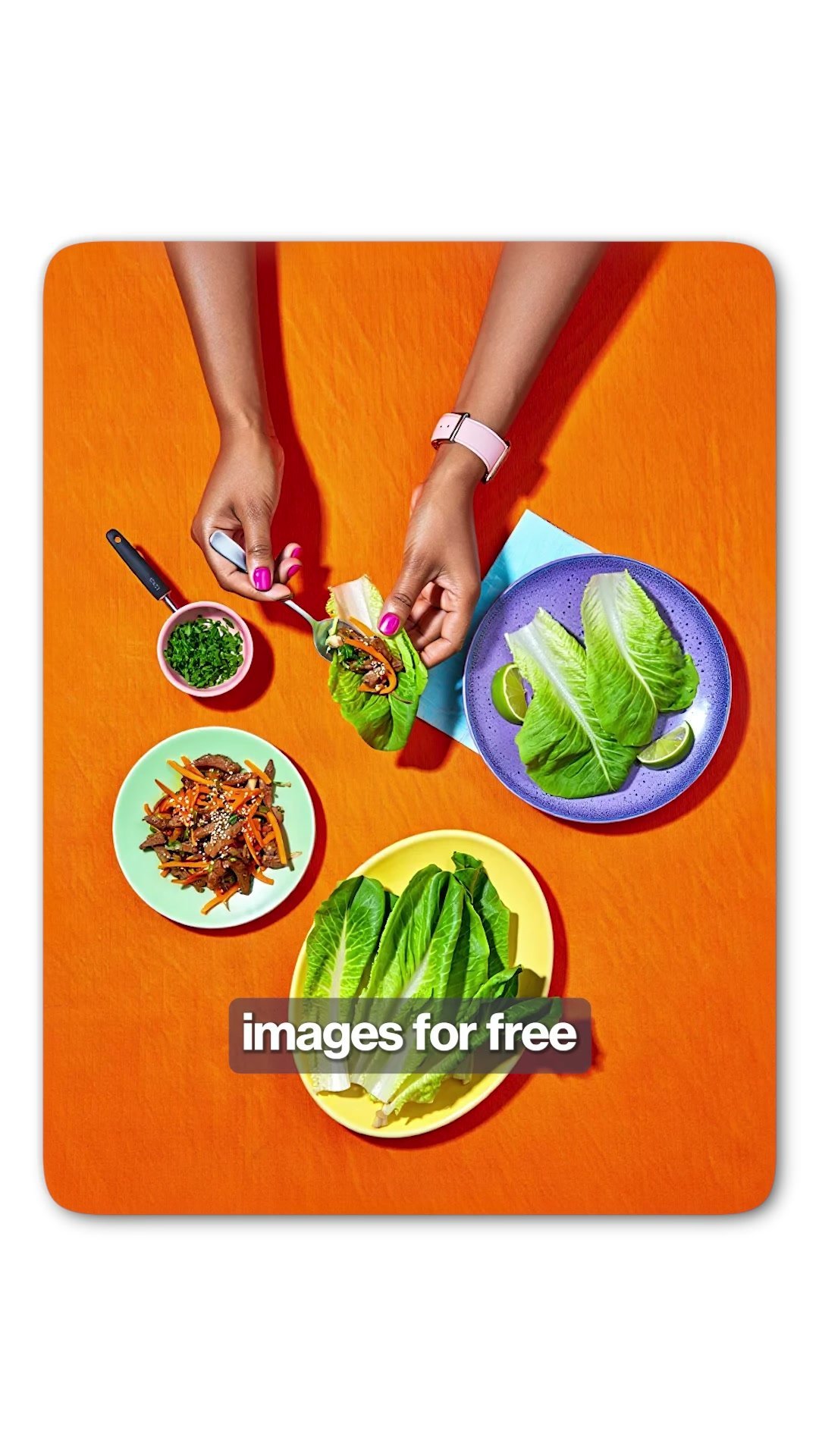
Reve इसी काम को पलट देता है। आप लिखते हैं कि image कैसी चाहिए — और 30 सेकंड में photorealistic image तैयार। Poster पर text भी बिल्कुल सही spelling के साथ छपता है — जो AI image tools की सबसे बड़ी कमज़ोरी रही है। और सबसे अच्छी बात — शुरुआत free में होती है, बिना card details दिए।
इस गाइड में Reve का पूरा रास्ता है — Reve Midjourney से अलग क्यों है, signup से पहली image तक क्या करना है, ऐसे prompts जो पहली बार में अच्छी image दें, text वाली images और product ads कैसे बनाएँ, free plan की असली limit क्या है, और paid plans कब लेने चाहिए। सब कुछ Reve की official website, pricing page और नवंबर 2026 की latest जानकारी से verify किया गया है।
वीडियो में क्या दिखाया गया है
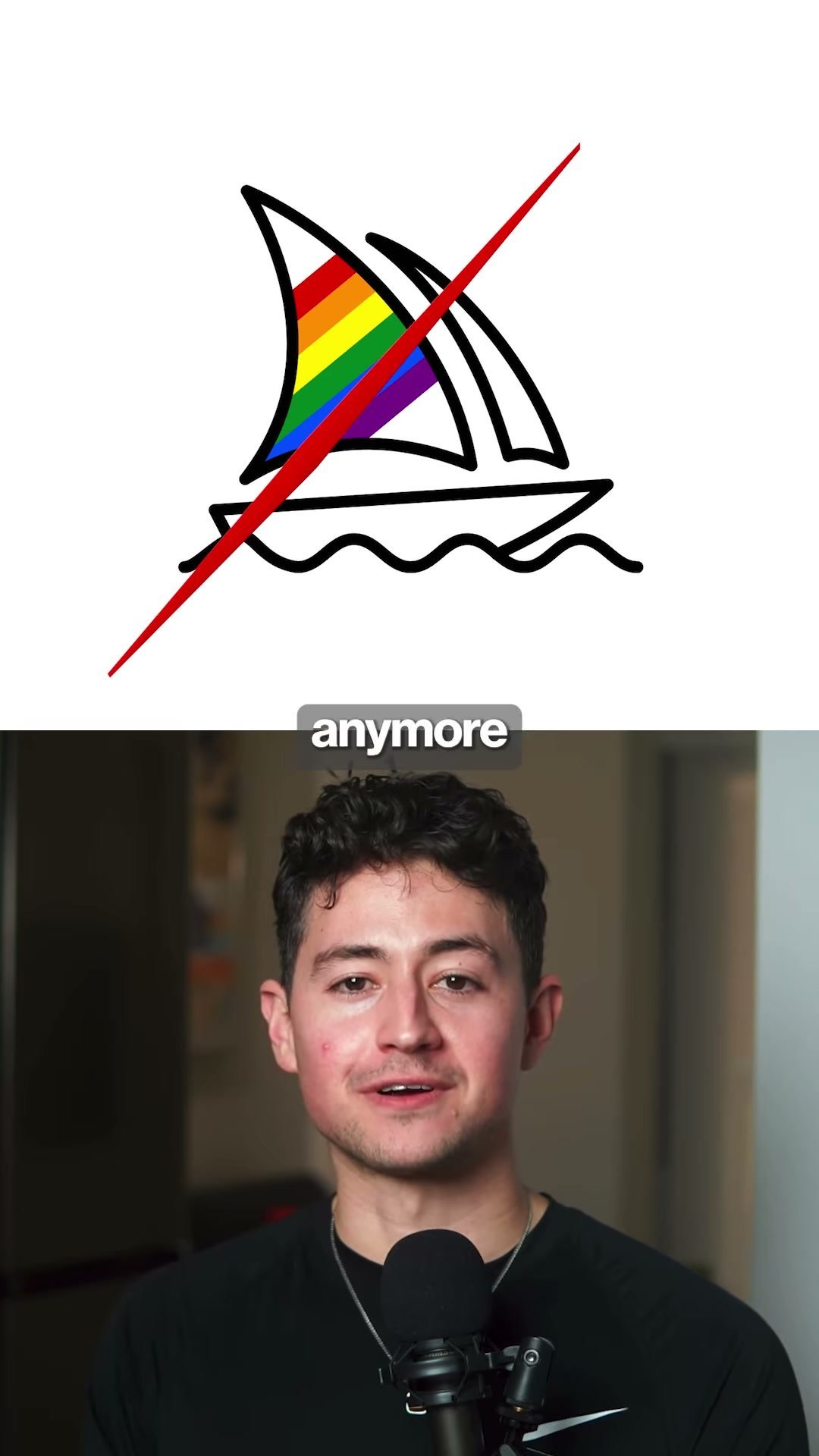
ऊपर वाला reel @nick_saraev का है — अप्रैल 2025 में post हुआ, 29 सेकंड का। इसमें Nick दिखाते हैं कि Midjourney का paid plan लिए बिना Reve से highly realistic images free में कैसे बनती हैं — photorealistic portraits, text वाली posters, और brands के लिए product ads। Reel में Reve की website का interface, benchmark comparison और “Dream Big, Work Hard” जैसी text posters भी दिखती हैं। इस गाइड में वही तरीका step by step है — signup से लेकर अपनी पहली image download करने तक।
Instagram reel
Reve Midjourney से अलग क्यों है — पहले ये समझिए
Reve को समझने के लिए पहले ये जानना ज़रूरी है कि ये सिर्फ “एक और image generator” नहीं है। Reve AI एक Palo Alto की छोटी company है, जिसने 2025 में अपना image model “Halfmoon” codename से launch किया था — और आज वही model Reve Image 2.1 के नाम से चलता है। इसका approach बाकी tools से अलग है — इसे layout-first कहा जाता है।
आम image generators में आप prompt लिखते हैं और AI सीधे pixels बनाना शुरू कर देता है। Reve पहले image की planning करता है — कौन सी चीज़ कहाँ रखनी है, text कहाँ आएगा, composition कैसा होगा — और फिर उसे render करता है। इसी वजह से Reve में text सही spelling के साथ छपता है, और poster या ad जैसी layout वाली images ज़्यादा clean बनती हैं।
| Reve | Midjourney | Flux | |
|---|---|---|---|
| Free plan | हाँ — daily energy के साथ | नहीं — सिर्फ paid | Limited free access |
| Text rendering | सबसे मज़बूत — posters और ads के लिए best | कमज़ोर — text में spelling mistakes आम | अच्छा, पर Reve जितना consistent नहीं |
| Output resolution | Native 4K | 1024px से शुरू, upscale अलग से | High, model पर depend करता है |
| Editing | Chat में बोलकर edit — “background बदल दो” | Variations और region editing | Inpainting और control tools |
| कीमत (paid) | $7.99/महीना से | Pro plan $48/महीना (reel में दिखा) | Credits पर depend करता है |
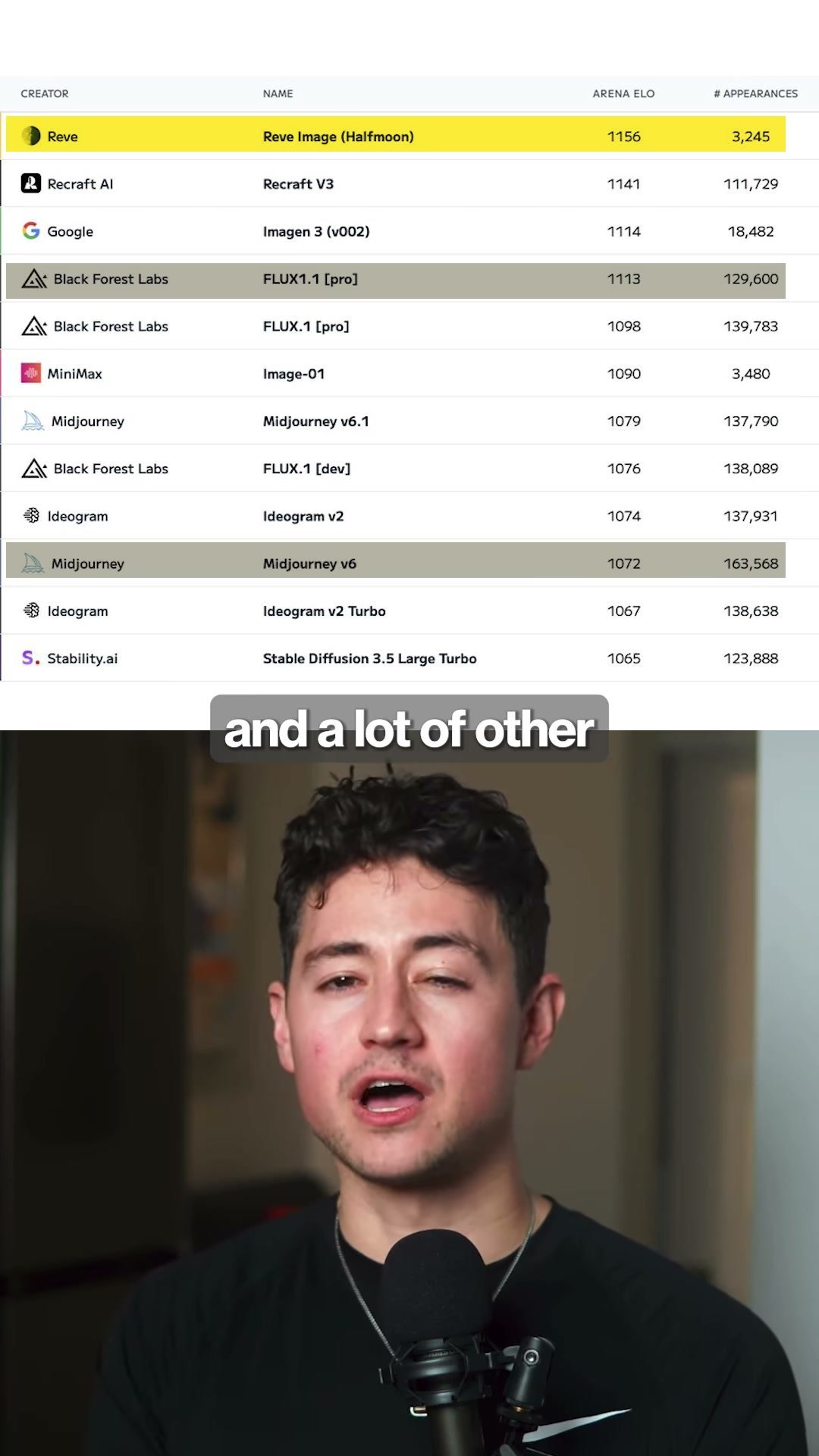
Reel में दिखी benchmark table में Reve Image (Halfmoon) top पर था — Midjourney, Flux और Google के Imagen 3 से ऊपर। पर एक बात साफ़ रखिए — benchmark में top होना और आपकी रोज़ की ज़रूरत पूरी होना, दो अलग चीज़ें हैं। Midjourney आज भी artistic और stylised images में बहुत मज़बूत है। Reve की असली जीत photorealism, text और layout में है — यानी posters, ads, product shots और social media creatives में।
पहली image — signup से download तक, सिर्फ 5 काम
Reve use करना बहुत simple है — कोई app install नहीं करनी, कोई software download नहीं करना। सब कुछ browser में चलता है, reve.art या app.reve.com पर। Mobile app अभी नहीं है — phone पर भी browser से ही काम करना होता है।
- Website खोलिए — Browser में app.reve.com खोलिए। “Get Started” या “Sign up” पर click कीजिए।
- Account बनाइए — Google account से sign in कीजिए, या email से account बनाइए। Card details नहीं माँगी जातीं — free plan के लिए payment method की ज़रूरत नहीं है।
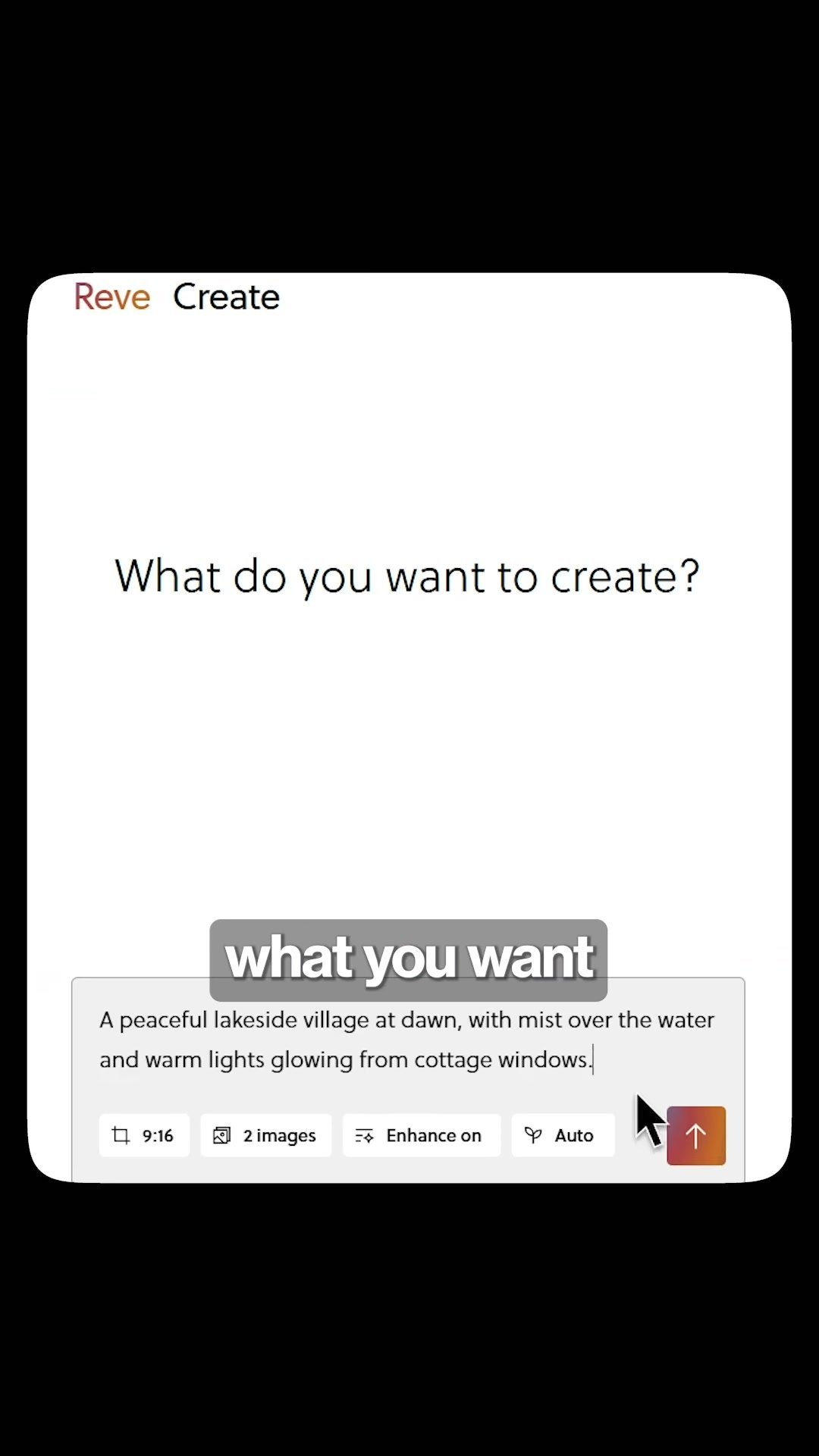
- Create खोलिए — Login के बाद “Create” workspace खुलता है। ऊपर एक box दिखेगा — “What do you want to create?” — यही आपकी prompt की जगह है।
- Prompt लिखिए — Image कैसी चाहिए, plain words में लिखिए। नीचे aspect ratio (9:16, 1:1, 16:9) और कितनी images चाहिए, वो चुनिए। फिर generate पर click कीजिए।
- Download कीजिए — Image बनने के बाद उस पर click करके full view खोलिए, और download button से save कीजिए। Free plan में भी image बिना watermark के मिलती है, native 4K resolution में।
पहली बार में perfect image न बने तो घबराइए नहीं — prompt में एक-दो words बदलकर दोबारा generate कीजिए। हर generation थोड़ी energy लेता है, इसलिए prompt को पहले ही clear लिखना सबसे अच्छा तरीका है।
Prompt लिखने की कला — 3 तैयार prompts जो पहली बार में काम करते हैं
Reve में अच्छी image का 80% काम prompt का है। Vague prompt — “एक सुंदर लड़की की photo” — से vague ही image बनेगी। अच्छा prompt एक formula से बनता है — Subject + Setting + Lighting + Style + Details। नीचे 3 तैयार prompts हैं — इन्हें copy करके अपनी ज़रूरत के हिसाब से बदल लीजिए।
1. Photorealistic portrait — Instagram या profile के लिए
“A candid photo of a young Indian woman in a yellow saree, standing on a Mumbai local train platform at golden hour, warm sunlight on her face, slight motion blur in the background crowd, shot on 85mm lens, shallow depth of field, photorealistic”
इस prompt में subject (woman in yellow saree), setting (Mumbai platform), lighting (golden hour), style (85mm lens, shallow depth of field) — चारों चीज़ें हैं। Camera lens और lighting बताने से image “AI-look” से “photo-look” में बदल जाती है।
2. Text वाली poster — Sale, event या motivational post के लिए
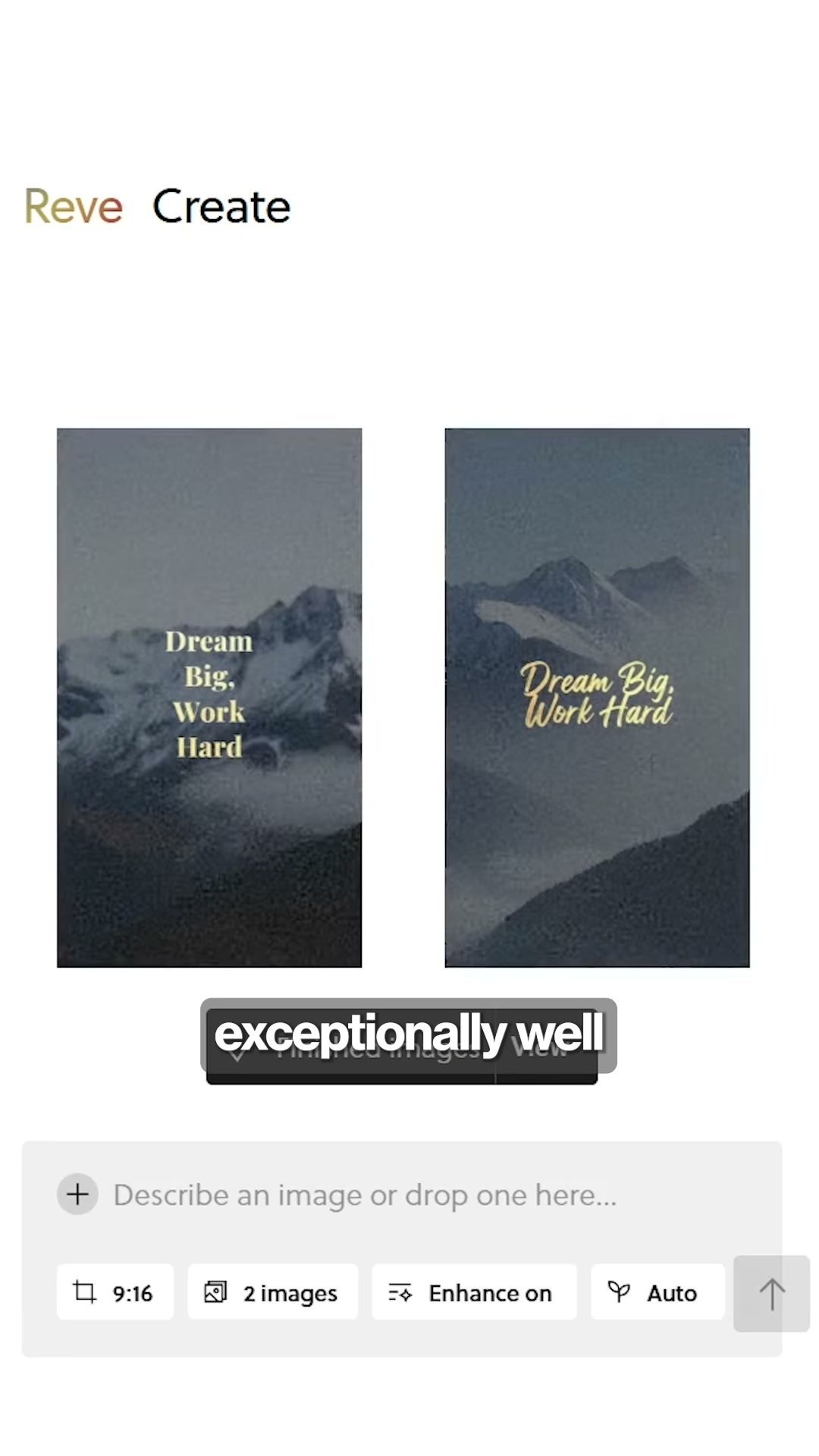
“A motivational poster, dark misty mountain background, elegant golden text in the centre that says ‘Dream Big, Work Hard’, minimal design, premium look, 9:16 vertical”
Text posters में text को quotes में लिखिए और साफ़ बताइए कि text कहाँ होना चाहिए — “in the centre”, “at the top”। Reve का text rendering इतना अच्छा है कि “Dream Big, Work Hard” जैसी lines पहली बार में सही spelling के साथ बन जाती हैं। Hindi text भी try कर सकते हैं — Reve multilingual text support करता है — पर English text ज़्यादा consistent रहता है।
3. Product ad — अपने business या clients के लिए
“Premium product photography of a glass bottle of cold coffee on a marble table, water droplets on the bottle, soft morning light from the window, green leaves in the background, luxury cafe vibe, advertising quality, 4:5”
Product ads में तीन चीज़ें ज़रूर लिखिए — product कैसा दिखना है, background कैसा हो, और mood क्या हो। अगर आपका product real है तो उसकी photo upload करके reference के तौर पर use कीजिए — Reve uploaded image को reference बनाकर उसी product की नई angles वाली images बना सकता है।
| Prompt का हिस्सा | क्या लिखें | Example |
|---|---|---|
| Subject | कौन/क्या है, कैसा दिखता है | Young woman in yellow saree |
| Setting | जगह, background | Mumbai local train platform |
| Lighting | Light कैसी है | Golden hour, warm sunlight |
| Style | Photo, painting, 3D, ad | Shot on 85mm lens, photorealistic |
| Details | Colours, mood, composition | Shallow depth of field, candid |
टेक्स्ट वाली images — Reve की सबसे बड़ी ताकत
AI image tools में text लिखना हमेशा से सबसे मुश्किल काम रहा है। Midjourney और Flux में भी “Happy Birthday” जैसी simple line में spelling गलत हो जाती थी। Reve इसी problem को solve करता है — और यही वजह है कि poster, thumbnail, sale banner और greeting card बनाने वालों के लिए ये सबसे useful tool है।
Text वाली image बनाते समय ये 4 बातें याद रखिए:
- Text छोटा रखिए — 3–5 words की line सबसे सही बनती है। लंबा paragraph text में गलतियाँ बढ़ जाती हैं।
- Text को quotes में लिखिए — Prompt में text हमेशा double quotes में लिखिए, जैसे — text that says “Diwali Sale 50% Off”।
- Placement बताइए — “Text at the top”, “text in the centre” — placement बताने से text design के साथ align होता है।
- पहली बार में न बने तो text छोटा कीजिए — अगर कोई word गलत छपे तो prompt से एक word कम करके दोबारा try कीजिए, पूरी image दोबारा describe मत कीजिए।
Reel में दिखी “Dream Big, Work Hard” posters और “Popcorn, reimagined” जैसी product ads इसी ताकत का example हैं — text और image एक ही generation में, बिना किसी editing tool के।
Product ads और UGC ads — Brand के लिए Reve कैसे use करें
Reel का आखिरी हिस्सा उन लोगों के लिए सबसे काम का है जो brands या clients के लिए काम करते हैं। Reve से product ads बनाने का मतलब सिर्फ product की photo बनाना नहीं है — मतलब है एक पूरी ad creative बनाना, जिसमें product, background, mood और text — सब कुछ एक साथ हो।
एक small business के लिए इसका use ऐसे होता है — मान लीजिए आप handmade candles बेचते हैं। Candle की एक अच्छी photo Reve में upload कीजिए, reference बनाइए, और prompt लिखिए — “Cozy Diwali evening, diyas around, warm golden light, premium gift vibe, text ‘Handmade with Love'”। कुछ ही मिनटों में आपके पास Diwali campaign के लिए 4–5 ad creatives तैयार हैं — designer के बिना, photoshoot के बिना।
UGC ads के लिए भी यही तरीका काम करता है — एक lifestyle scene generate कीजिए, जैसे कोई हाथ में product पकड़े हुए है, natural light में, candid style में। ऐसी images Instagram और Facebook ads में real photos जैसी लगती हैं — और click-through rate भी अच्छा रहता है।
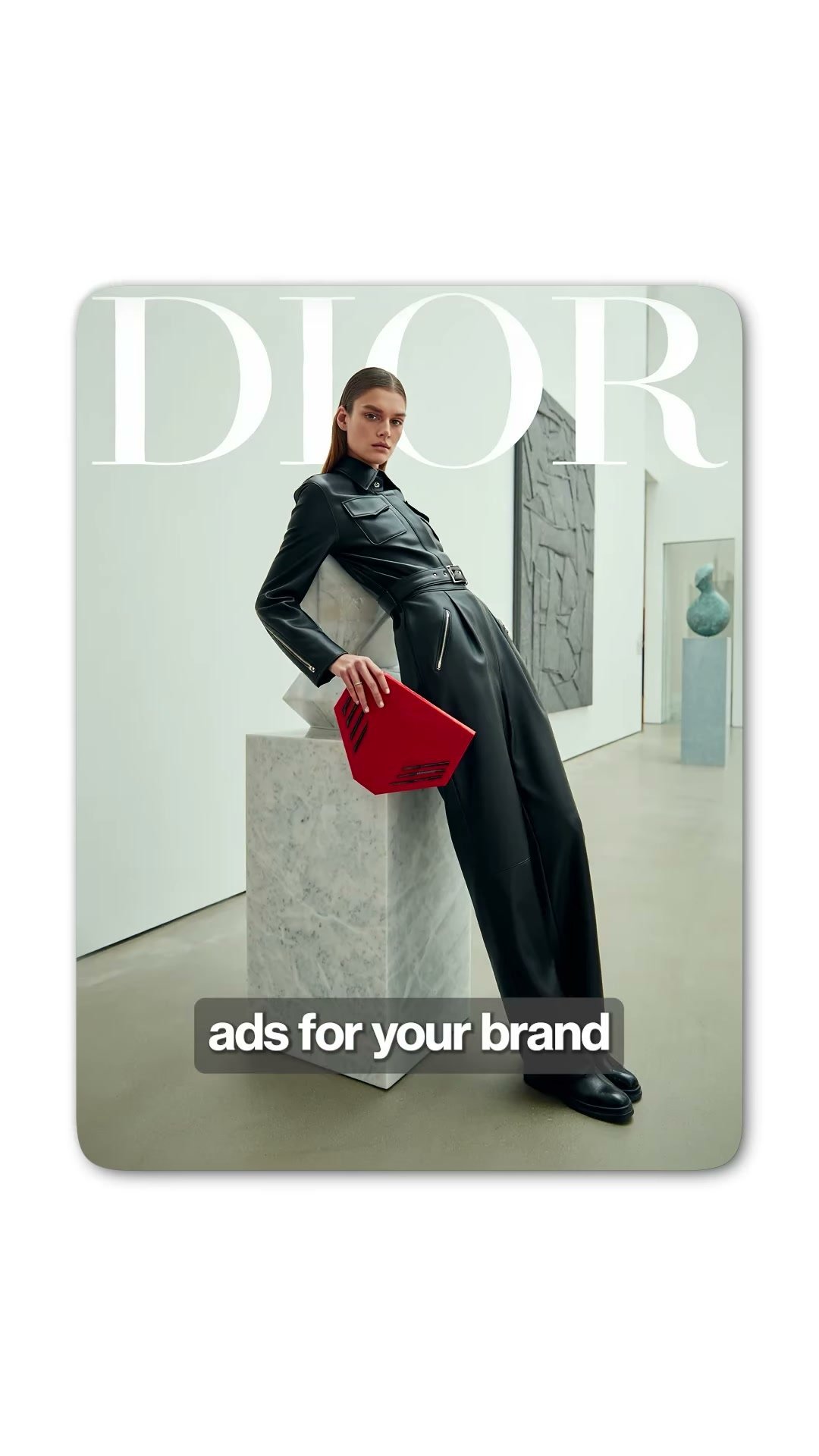
एक बात का ध्यान रखिए — Reve से बनी images पर आपका ownership होता है, और Reve के FAQ के हिसाब से आप उन्हें किसी भी lawful purpose के लिए use कर सकते हैं, commercial use भी। पर अगर image में किसी real brand का logo या किसी celebrity का चेहरा है तो उसे commercial ad में use मत कीजिए — वो rights का मामला है, Reve का नहीं।
Free plan की सच्चाई — कितना free है, और कहाँ रुकता है
Reel में कहा गया है — “almost unlimited usage”। अप्रैल 2025 में जब ये reel post हुई थी, तब comments में लोगों ने लिखा था कि free tier में सिर्फ 12 images मिलती हैं — unlimited नहीं। तब से Reve का system बदल चुका है, इसलिए आज की सच्चाई ये है:
| Free plan में क्या है | Limit क्या है |
|---|---|
| कीमत | $0 — card details नहीं चाहिए |
| Images | Daily “creative energy” के हिसाब से — हर दिन refresh होती है, कोई fixed number publish नहीं किया गया |
| Quality | Free plan में भी native 4K, बिना watermark |
| Editing | Chat में बोलकर edit कर सकते हैं |
| Video | Signup पर one-time video energy allowance |
| Storage | Basic storage |
| Privacy | Free images public Inspiration page पर दिख सकती हैं |
| Model training | Free account से बनी images model training के लिए use हो सकती हैं (opt-out सिर्फ paid plans पर) |
मतलब — free plan सच में free है, trial नहीं है। Daily energy खत्म होने पर अगले दिन फिर मिल जाती है। पर “unlimited” ये बिल्कुल नहीं है — एक दिन में बहुत सारी images बनाने वालों को energy खत्म होने का message मिलेगा। और एक और बात — free plan में बनी images public gallery में दिख सकती हैं, इसलिए confidential या client का sensitive काम free plan पर मत कीजिए।
अप्रैल 2025 से नवंबर 2026 के बीच Reve बहुत बदल चुका है — Reve Image 2.0 जून 2026 में आया, 2.1 जुलाई 2026 में, video generation जुड़ा, API launch हुआ, और जुलाई 2026 में OpenAI से investment भी मिला — पर Reve आज भी independently operate करता है। इसलिए reel में दिखा पुराना interface आज थोड़ा अलग दिख सकता है — पर काम करने का तरीका वही है।
Plans और कीमतें — कब कौन सा plan
| Plan | कीमत | Energy / Storage | किसके लिए |
|---|---|---|---|
| Free | $0 | Daily energy, basic storage | Try करने के लिए, कभी-कभार images बनाने के लिए |
| Lite | $7.99/महीना | Free से 5x energy और storage, private images, training opt-out | Regular creators, हफ्ते में कई posters बनाने वालों के लिए |
| Pro | $19.99/महीना | Free से 100x energy और storage, video generation, PDF और audio reference | Professionals, agencies, daily heavy use के लिए |
| Teams | $59/user/महीना (कम से कम 5 seats) | Pro जैसा, shared images और references | Teams और agencies के लिए |
| API | Pay-as-you-go, लगभग $0.20 per image ($10 minimum) | Credits के हिसाब से | Developers, apps में image generation जोड़ने के लिए |
कीमतें Reve की official pricing page से ली गई हैं, नवंबर 2026 की जानकारी के हिसाब से। कीमतें tax के बिना बताई गई हैं — checkout पर tax अलग से जुड़ सकता है। Lite plan उन लोगों के लिए सही है जिन्हें free plan की daily energy कम पड़ती है — $7.99 में 5x energy मिलती है, जो हफ्ते में 10–15 posters बनाने वालों के लिए काफी है। Pro तब लीजिए जब video generation भी चाहिए या रोज़ाना बड़ी volume में images बनानी हों।
किसके लिए है Reve, और किसके लिए नहीं
Reve आपके लिए है अगर:
- आपको posters, thumbnails, sale banners या social media creatives बनाने हैं — खासकर जिनमें text हो।
- आप छोटे business या freelance clients के लिए product ads बनाते हैं।
- आपको photorealistic images चाहिए — real photos जैसी, artistic paintings जैसी नहीं।
- आप Midjourney का $48/महीना नहीं देना चाहते, पर quality से compromise भी नहीं करना चाहते।
Reve आपके लिए नहीं है अगर:
- आपको artistic, painterly या stylised illustrations चाहिए — उसमें Midjourney आज भी आगे है।
- आपको mobile app चाहिए — Reve सिर्फ web पर चलता है।
- आपको एक दिन में सैकड़ों images बनानी हैं — free plan की daily energy वहाँ रुकावट बनेगी।
- आपका काम confidential है और images public gallery में नहीं दिखनी चाहिए — तब paid plan की private generations चाहिए होगी।
अब आपकी बारी — पहली image आज ही बनाइए
Reve खोलिए, signup कीजिए, और ऊपर दिया गया portrait वाला prompt copy करके पहली image बनाइए। पहली image से ही समझ आ जाएगा कि prompt में क्या बदलना है — lighting, setting, या style। फिर उसी prompt को अपनी ज़रूरत के हिसाब से बदलिए — अपना product, अपना text, अपनी setting।
और हाँ — free plan की daily energy को ऐसे use कीजिए जैसे पैसे हों। हर generation से पहले prompt को एक बार पढ़ लीजिए — subject, setting, lighting, style — चारों चीज़ें हैं या नहीं। एक clear prompt से एक ही generation में अच्छी image बनती है, और energy भी बचती है।
Reve की सबसे बड़ी बात यही है — इसने image बनाने की cost को लगभग zero कर दिया है। Designer का इंतज़ार खत्म, photoshoot का खर्च खत्म, और poster पर गलत spelling का डर भी खत्म। अब फर्क सिर्फ इस बात से पड़ता है कि आप prompt में क्या लिखते हैं।
1 thought on “Reve से Free AI Image कैसे बनाएँ — Photorealistic Images, Text और Product Ads”